
Do I Need to Download Software for AI Lip Sync?
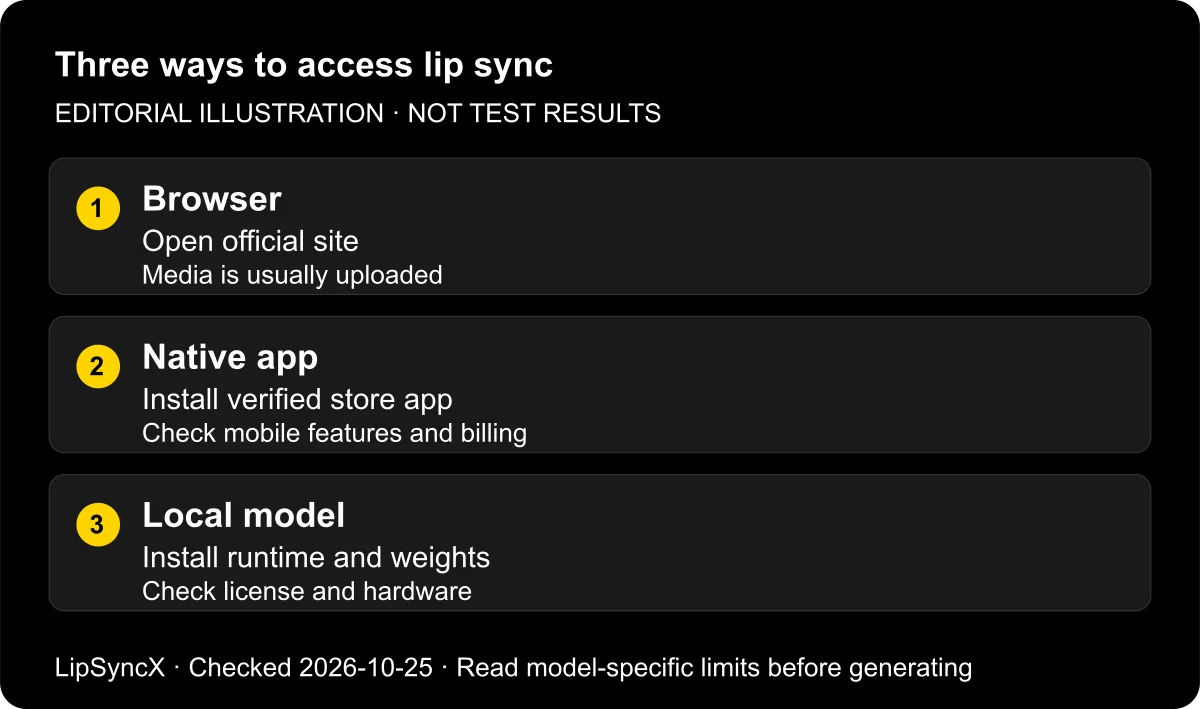
No. Browser-based AI lip-sync tools generally do not require a dedicated software download. You open the website, upload media, generate, and download the finished video. A native mobile app is optional for some services; running a model locally is a separate installation task.
Checked: October 25, 2026. HeyGen's official FAQ explicitly describes a browser route, while Sync's image-to-video guide documents browser generation from a still image. HeyGen states, “No download is needed.” Sync says its “flow runs in the browser.” These statements describe access, not guaranteed output quality.
Disclosure: LipSyncX publishes this guide and offers a browser-based lip-sync product.
What does no download actually mean?
It means you do not have to install a dedicated editor or model to begin the website workflow. You still use a browser, usually create an account, and transfer your photo or video and audio to the service. You will ordinarily download the final export if you need a file to publish elsewhere.
It does not mean no registration, no payment, no server processing, or offline use. Those are separate requirements. A service can be installation-free and still require a paid plan for a particular model or export.
No installation describes the interface; it does not establish that a face or voice stays on your device. Check the provider's actual processing and privacy terms before uploading sensitive media.

This is a workflow illustration, not a screenshot or hardware benchmark.
Choose between three routes
| Route | What you install | What to check |
|---|---|---|
| Hosted browser service | Usually nothing beyond your existing browser | Upload policy, account access, export terms |
| Native mobile app | The official app from your device's store | Publisher, device support, billing, feature parity |
| Local model | Runtime, model files, dependencies, often an editor | Hardware, license, maintenance, actual offline behavior |
The browser route suits a first short clip when you are allowed to upload the media. The app route can be convenient when your camera roll, recorder, and publishing app are all on the phone. A local route is an engineering choice when processing control justifies the setup work.
A self-hosted web interface sits across these categories: you might access it in a browser, while your team operates an installed backend. Ask where the files are processed rather than assuming that a website necessarily means a third-party cloud.
Make a browser test in four steps
- Open the provider's official website and confirm that your source type is accepted. A photo needs image-input support; a dubbing tool may require footage.
- Load one permitted image or video, then upload a short recording or preview a text-to-speech track.
- Confirm the model, estimate, and correct input audio before generating.
- Play the output, download it, and inspect the saved file before sharing.
Start with roughly 5–10 seconds as a practical review sample. This is a suggested pilot length, not a promise about any provider's limits. Keep the source files so you can retry without reconstructing the project.
The talking-photo generator is LipSyncX's browser starting point. The photo-and-audio tutorial shows an actual input workflow and clearly labels its older screenshots.
When does local installation make sense?
Local processing can matter when an organization prohibits external media uploads or a project must work without a network. It can also serve developers who need to inspect or adapt the pipeline. These benefits depend on the implementation actually staying local, including any plugins or helper services.
The original Wav2Lip repository contains setup instructions, dependencies, inference code, and important non-commercial restrictions for the released material. Do not assume that public code means unrestricted commercial use. Check the specific code, weights, and dataset-related conditions for the intended use.
A local workflow also shifts responsibility to you: installing compatible dependencies, obtaining model files, troubleshooting face detection, storing outputs, and maintaining the environment. We did not run a local hardware benchmark for this guide, so there is no claimed minimum render speed or promised laptop performance.
Avoid downloads that create unnecessary risk
If you only need the official browser service, a third-party page demanding a cracked installer adds no useful step. Follow links from the vendor's own domain or verified store listing and inspect the publisher before installing an app.
Do not disable system protections to activate a supposed free export. A browser extension that requests access to every website is also a different permission decision from uploading a portrait to a generator. Evaluate the actual software request, not just its familiar logo.
For a business workflow, keep the approved service URL with the project notes. That simple habit helps teammates find the right product instead of a similarly named download site.
FAQ
Do I need to download software on my phone?
You may use a supported mobile browser or an official app, depending on the service. See the browser talking-photo workspace for file-selection and billing differences.
Can no-download AI lip sync work offline?
A hosted browser generator normally needs network access. Offline processing requires an explicitly local workflow, not merely leaving a web tab open.
Does a browser tool automatically delete my uploads?
No. Installation requirements say nothing about retention. Check the provider's current policy and account deletion controls.
Can I export a free sample without installing an app?
Possibly, if the browser account includes that entitlement. Check current trial, watermark, and download conditions before generating; free access and unrestricted export are different things.
Try the route with the fewest setup steps
If cloud upload is acceptable, open the talking-photo generator with one permitted image and short audio file. Check current pricing before submitting a paid job. The guide hub covers the remaining choices once the first clip is reviewed.
Changelog: October 25, 2026 — browser access and original Wav2Lip repository checked; no local performance measurement claimed.